
Start with lyrics or start with instruments?
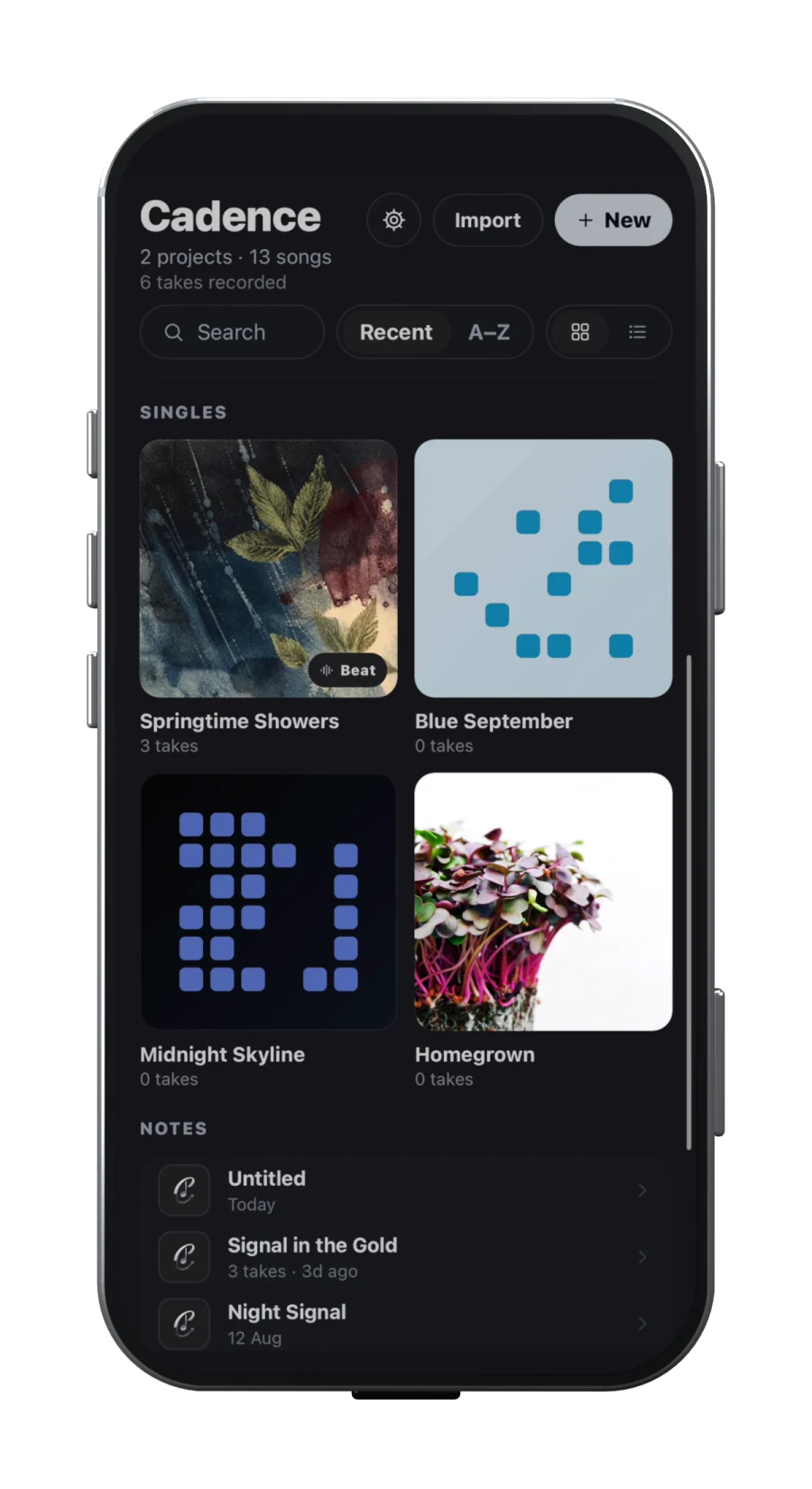
Cadence begins with a song that can hold a lyric, recordings, a beat, rhyme exploration, sections and a draft mix. Its public product page shows capture from text, audio, a handwritten-page scan or a new recording, followed by on-device transcription, rhyme families, beat looping, arrangement and a mobile DAW. Cadence is available on the App Store and Google Play.
GarageBand begins with sound and tracks. Apple’s iPhone user guide presents Touch Instruments, vocals and connected guitar or bass, Apple Loops, Drummer, effects, Live Loops and downloadable sound packs. It is a production environment with songwriting uses, not a dedicated lyric notebook.
Choose Cadence when your hard decisions live in the relationship between words, cadence, beat and takes. Choose GarageBand when the arrangement emerges from performed or programmed instruments, loops and audio regions. This comparison is based on public product documentation checked below, not on controlled recording, latency or sound-quality tests.
Lyrics and writing support
Cadence keeps rhyme highlighting, suggestions and syllable counts beside the lyric. That helps when you are revising the words and checking their delivery, rather than building the instrumental. You can explore rhyme types in the free browser rhyme finder before installing the app. The browser tool uses its own English dictionary and phrase bank; it is not a demonstration of every language or suggestion available in the app. In either workspace, read candidates aloud and test meaning and rhythm rather than choosing a suggestion blindly.
Cadence also documents a path from an imported voice memo to editable words. Transcription runs on device, but the vendor warns that singing, background music, speed, low volume and overlapping voices can reduce accuracy. A transcript is a starting point that must be corrected while listening, not proof that an app can recover every lyric.
Apple’s GarageBand guide is deep on tracks, instruments and regions. The official material checked for this article does not describe an integrated rhyme inspector or a comparable voice-memo-to-lyric workflow. You can still write with GarageBand, record scratch vocals and keep lyrics elsewhere. The limitation is the handoff: if the exact words and the take that shaped them matter together, decide where the canonical lyric lives before recording versions multiply.
Recording and arrangement depth
| Area | Cadence | GarageBand for iPhone/iPad |
|---|---|---|
| Writing centre | Lyrics, rhyme families, beat loops and vocal takes | Touch Instruments, audio, MIDI-style regions and loops |
| Arrangement | Map selected lyrics into timed sections, then build a draft demo | Arrange regions across up to 32 tracks and 2,000 bars |
| Sound sources | Imported beat, recordings and vocal effects | Touch Instruments, Apple Loops, Drummer, Sound Library and external apps |
| Platform | iPhone, iPad and Android | Apple’s iPhone and iPad environment |
Apple documents up to 32 tracks and 2,000 bars in a GarageBand for iPhone song. Its product page also covers multi-take recording, mixing controls and compatible audio interfaces. GarageBand can use Audio Unit Extensions and other music apps as instruments or effects, which gives Apple-platform producers a larger sound and plug-in path.
Cadence’s public arrangement and DAW walkthrough shows a more guided transition: organise song sections, bring the beat and vocal takes onto a timeline, compare processed and dry vocals, balance the mix and export. The walkthrough explicitly says it is an interface demonstration, not an audio-quality comparison. Cadence makes no public 32-track or plug-in-hosting claim in the material checked, so GarageBand is the safer documented choice for more complex instrumental production.
Files, backup and the route out
Both products require a backup habit, but for different reasons. Cadence says recordings remain on the device unless shared and do not automatically follow account sign-in to another device. Keep important exports. Apple says GarageBand for iOS songs are stored within the app and deleting the app deletes them; Apple’s backup guide recommends iCloud, iCloud Drive, AirDrop or a device backup.
GarageBand can share a song as an audio file or editable GarageBand project. Apple documents transfers to another app, nearby devices and a Mac, but says a GarageBand project cannot be opened on Windows. It also notes that a standard GarageBand for Mac project cannot be imported directly into GarageBand for iPhone, although a special iPhone-compatible version can make the round trip.
Cadence’s public site describes demo and aligned-stem export. That can be a clear handoff to another production environment, but confirm the exact current export choices inside the build you use. Do not assume project compatibility with GarageBand or any desktop DAW merely because both products use timelines.
Verdict, including the sensible two-app workflow
Choose Cadence if you need one mobile place to revise lyrics against a beat, compare rhyme families, retain takes, shape sections and make a vocal-led demo. It is available on both major mobile storefronts; protect important exports because account sync is not an audio backup.
Choose GarageBand if you own an iPhone or iPad and need instruments, loops, plug-ins and a documented 32-track arrangement environment. It is the clearer choice when producing the music is the main task. It is not an Android option, and its official workflow does not replace a lyric-focused writing system.
Use both when Cadence is the writing room and GarageBand is the production room. Freeze a deliberate handoff: export the current demo and stems, name them with song and version, then start one GarageBand project. Keep later lyric changes in one agreed place. This avoids the worst hybrid workflow, where the lyric in one app, vocal in another and latest beat in Files all disagree.
Check the current regional price and complete a disposable verse-to-export test on your actual device before choosing. Try your own headphones or audio interface, listen for monitoring delay, then reopen the exported audio. A documented feature is useful only if that entire workflow works for you.
Sources
- Cadence product workflowChecked 2026-09-17
- Cadence rhyme finder and limitationsChecked 2026-09-17
- Cadence arrangement and DAW walkthroughChecked 2026-09-17
- GarageBand for iPhone user guideChecked 2026-09-17
- Build a song in GarageBand for iPhoneChecked 2026-09-17
- Use other music apps with GarageBandChecked 2026-09-17
- Share GarageBand songsChecked 2026-09-17
- Back up GarageBand for iOS songsChecked 2026-09-17