
The short answer
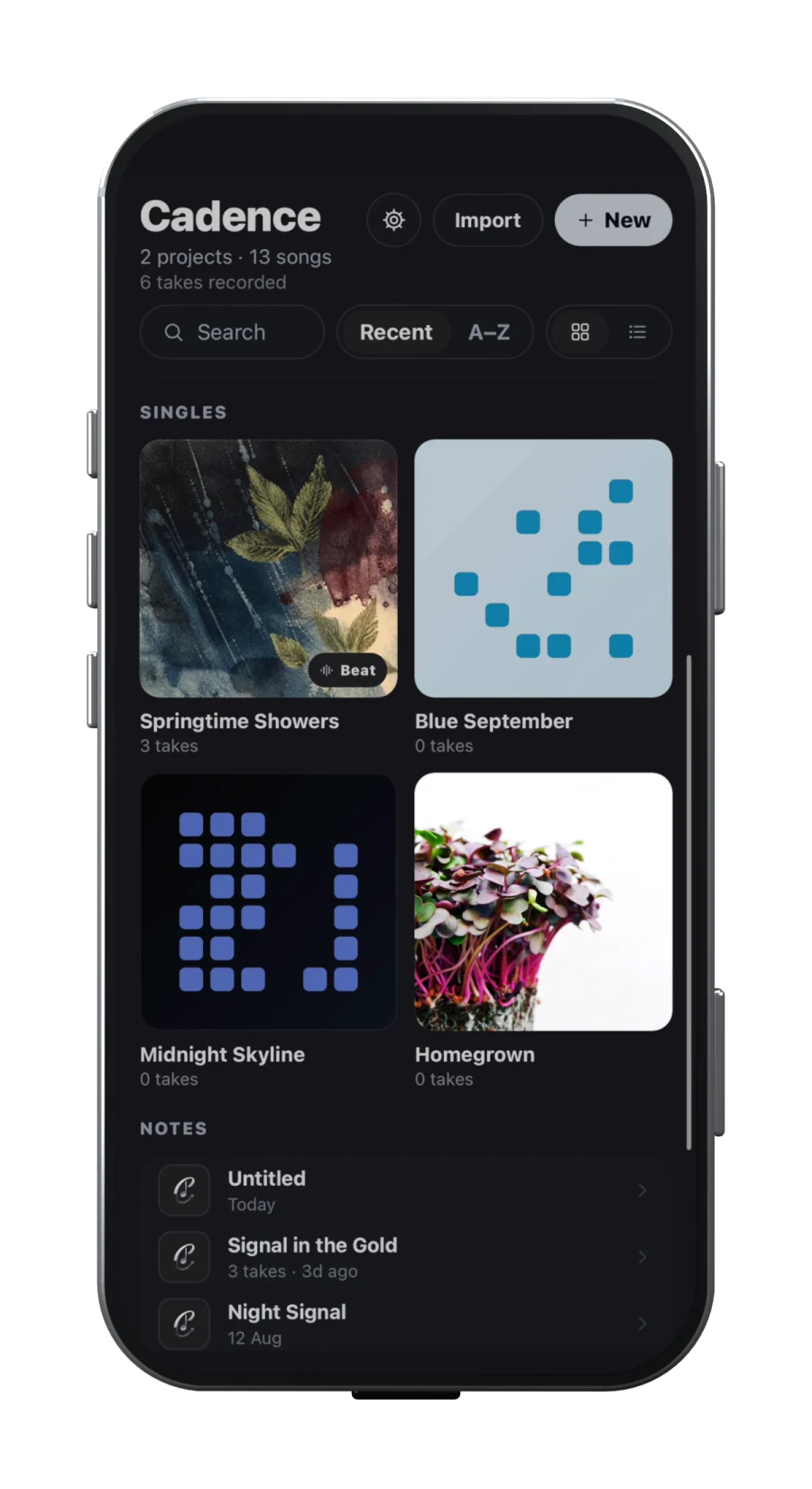
Choose Cadence when the song develops through words, rhyme choices, delivery over a beat, vocal takes and a rough arrangement. Its public workflow moves from capture and on-device transcription through rhyme exploration, A/B beat looping, song sections, a multitrack DAW and demo or aligned-stem export. Cadence is available on the App Store and Google Play.
Choose BandLab when recording, instruments, mixing, cloud access and inviting collaborators are central. BandLab’s official Studio guide describes a browser and mobile cloud DAW with audio and MIDI recording, virtual instruments, imported files and its Sounds library. Free projects support up to 16 tracks and Membership projects up to 32; both tiers have a 15-minute duration limit.
That is not a quality ranking. It is a workflow distinction based on current public documentation, not a hands-on latency, sound-quality or stability test. Both products can participate in writing and recording; their strongest organising idea is different.
Writing and capture: context versus canvas
Cadence treats the lyric as part of the song rather than a note floating beside the audio. Its public songwriting guide describes lyrics, imported recordings or new vocal takes inside songs and projects. Rhyme highlighting and an inspector cover perfect, slant, multisyllabic and assonance options. The public voice-memo workflow says transcription runs on device and warns that music, sung or fast words, quiet recordings and overlapping voices can reduce accuracy. You must review the transcript against the audio.
BandLab’s centre is the Studio timeline. You can start with a Voice/Audio track, virtual instrument, imported audio or MIDI, or a sample from BandLab Sounds. Its official Studio documentation also lists audio/MIDI editing, automation, effects, EQ and creator tools. BandLab’s beginner guide says lyrics can be viewed or written while recording, but its official Studio material does not present the lyric and rhyme system as the main project structure.
For a rapper or topliner who repeatedly moves between a line, a rhyme family and a performed take, Cadence’s tighter loop may remove more switching. For a writer who discovers the song by layering instruments and loops, BandLab puts the larger musical canvas first.
Recording, production and export
| Decision | Cadence | BandLab |
|---|---|---|
| Primary workspace | Lyric, beat, takes, arrangement and mobile DAW in one song | Cloud DAW with audio, MIDI, instruments, samples and effects |
| Rhyme support | Perfect, slant, multisyllabic, multi-word and assonance | A dedicated rhyme inspector is not documented in the Studio guide |
| Project scale | Multitrack vocal arrangement; test your intended project size on your device | Free: up to 16 tracks. Membership: up to 32. Both: 15 minutes per project |
| Handoff | Demo and aligned audio stems | Mixdowns, individual audio/MIDI tracks and stems |
BandLab provides the broader documented production toolbox. Its Studio section covers MIDI editing, slicing and merging regions, automation, effect presets and Visual EQ. Its download guide documents mixdowns, individual tracks and stem downloads, while noting that exporting a selected segment or section is unsupported.
Cadence’s public material shows a narrower journey built around finishing the performance of a written song: load the beat waveform, set independent loop points, map selected lyrics into timed sections, create a draft demo, then use the multitrack DAW, vocal effects, mixer and export. Do not read “DAW” as evidence that it replaces every BandLab production feature. Cadence publishes no equivalent claim here for BandLab’s instrument library, sample ecosystem or exact track capacity.
Collaboration, storage and recovery
BandLab has the clearer documented collaboration story. Its help centre explains collaborator invitations by username or email on web, iOS and Android. The Project Page includes current versions and revision history. BandLab also says saved projects live in the cloud and remain private unless you publish or invite a collaborator.
Cadence’s current public pages do not claim an equivalent live co-editing or public community workflow, so do not choose it on that assumption. They make a different storage caveat explicit: recordings stay on your device unless you share them, and account sync does not automatically transfer every recording to a second device. Keep exports of important work.
The tradeoff is practical. Cloud-first access and collaboration reduce manual transfers, but depend on accounts, connectivity and the vendor’s sync path. Local recordings can suit private solo work, but place more backup responsibility on you. Test the failure mode that worries you: invite a real collaborator to a disposable project, or move an expendable recording between devices. Documentation describes intended behaviour, not your network or device state.
Which one fits your next three songs?
Cadence is the stronger fit if your repeated problem is turning lyric fragments and voice memos into a performed draft without losing the beat, rhyme context or earlier takes. It also suits writers who want the writing tools to support decisions rather than generate a song for them. The public site is candid that transcription needs review.
BandLab is the stronger fit if you need cross-device cloud projects, collaborators, virtual instruments, samples and a production-oriented timeline. Its documented Free limit is 16 tracks, Membership raises the limit to 32, and both tiers retain the 15-minute ceiling. Check those boundaries against dense arrangements, long live sets or podcast-like work.
Use both deliberately if Cadence helps you write and perform while BandLab is where collaborators produce. Agree on a handoff: export a dated demo plus aligned stems from Cadence, create one named BandLab project, and keep the lyric version attached to that handoff. That preserves each product’s strength without making two competing sources of truth.
Check the current purchase screen or official storefront for regional prices and plan limits. Then complete the same short song in both products. Count the file conversions, missing context and recovery steps: these are the costs you will feel every time you return to write.
Sources
- Cadence product workflowChecked 2026-09-17
- Cadence songwriting appChecked 2026-09-17
- Cadence voice memo and transcription guideChecked 2026-09-17
- Getting started with BandLab StudioChecked 2026-09-17
- BandLab track and project duration limitsChecked 2026-09-17
- Invite BandLab collaboratorsChecked 2026-09-17
- Download BandLab mixdowns and tracksChecked 2026-09-17
- Navigate the BandLab Project PageChecked 2026-09-17
- BandLab Studio beginner guideChecked 2026-09-17