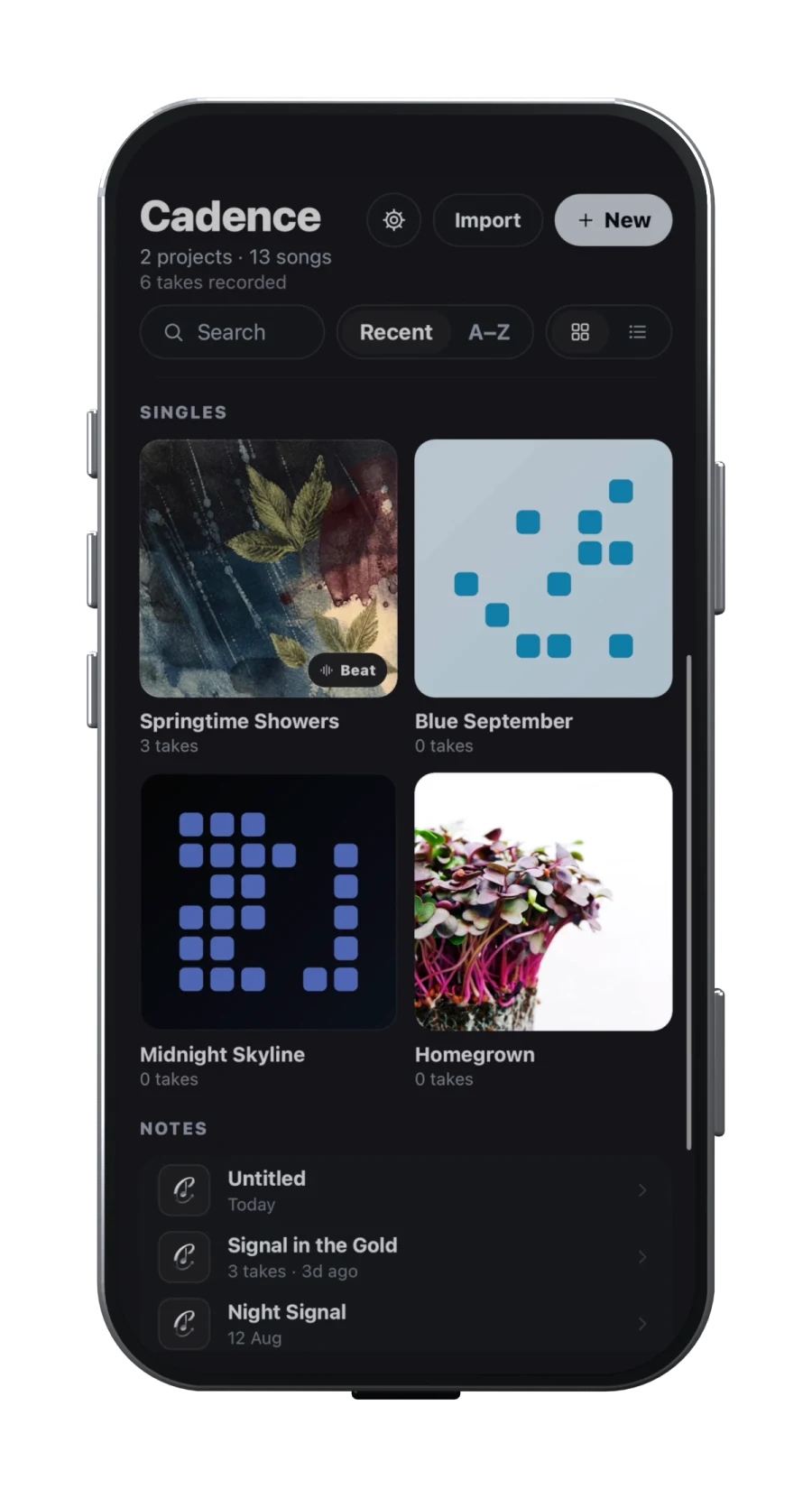
Cadence workflow illustration. Interface may vary by version.
A songwriting notebook with room to grow
Start with a lyric, an imported recording or a new vocal take. Keep those ideas with the song they belong to. Projects help you group songs into an EP, album or collection without losing the individual drafts.
You do not need to start with a complete production. Capture the next line while it is fresh, then return to the same song to develop it.
A song draft organizer for lyrics, beats and voice memos
Cadence keeps the lyric, imported beat and recorded takes with the same song. Projects group songs into an EP, album or collection, so an unfinished verse can stay beside the recordings that explain it.
Name the idea. Create or reopen a song in the Library. Give it a title you will recognise when you return.
Keep the sound with the draft. Record a memo inside that song, or share a supported audio file into Cadence and choose the destination song.
Develop one draft. Revisit the words while listening to the saved take or a loop of the beat. Keep the next recording with the song.
Group the bigger work. Use Projects for the songs belonging to your EP, album or collection; use Arrange when you are ready to shape sections within a song.
Keep exports of important recordings. Signing in on another device does not automatically transfer every local take; the planned cloud pricing model is still upcoming.
Find a rhyme without leaving the page
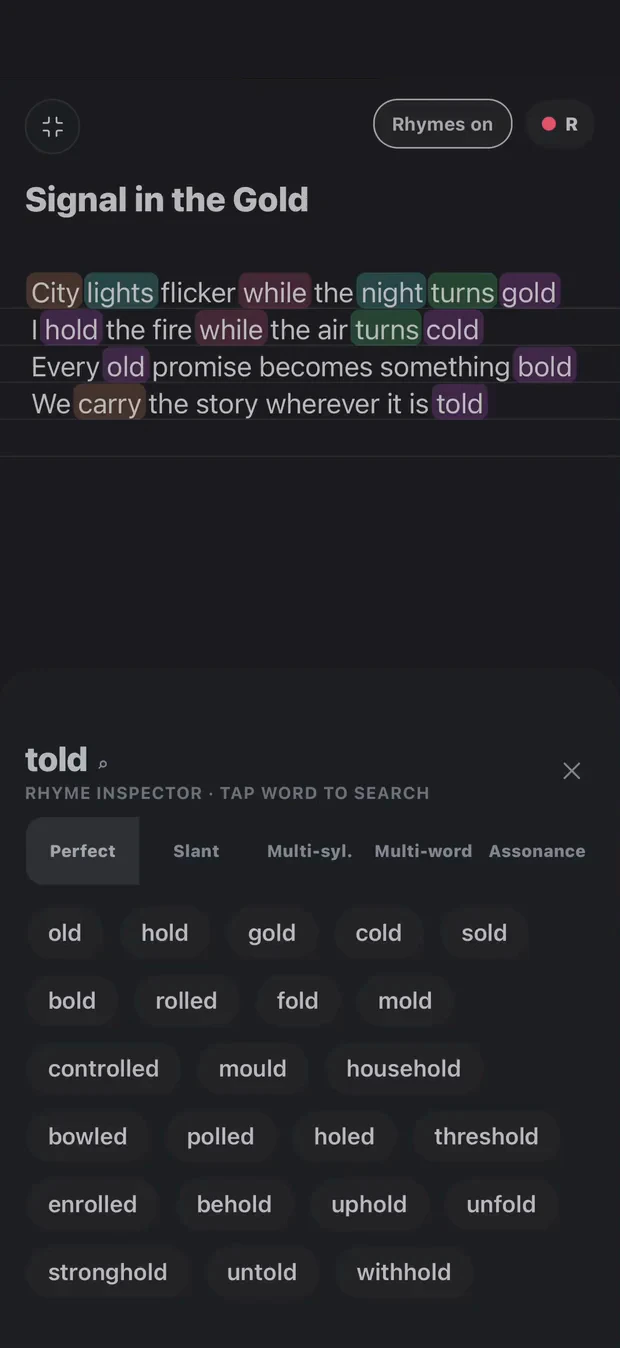
Rhyme highlighting helps you see patterns across a verse. The inspector lets you explore perfect rhymes, slant rhymes, multisyllabic matches and assonance as you revise. Syllable counts can help you compare lines; saying the words over your beat is still the test of how they flow.
Bring in a beat, loop the part you are writing to, and record takes alongside your words. Use Arrange to sketch the song structure, then open the DAW to position clips, balance tracks and work with effects.
Cadence keeps recordings on your device unless you share them. Account sync and local audio are different: signing in on a second device does not automatically transfer every recording. Keep exports of important work.
Start with three free notes. Pro unlocks unlimited new work and the complete Draft-to-DAW workflow, including arrangement and export. The purchase screen shows current plans for your store. Compare free songwriting apps and current plan limits before choosing.
Common questions
Can I start with a beat or a freestyle?
Yes. Start with a beat, a written lyric or a recorded idea. Keep the words, beat and vocal takes with the song, then develop the arrangement and demo in the same workspace.
Is Cadence free to try?
Start with three free notes. Cadence Pro unlocks unlimited new work and the complete Draft-to-DAW workflow, including vocal FX and exports. Your store shows the available plans, local currency and current price before purchase.
Will Cadence charge only for cloud storage and use across multiple devices?
That is the planned pricing model, not the current release. We plan to make on-device creation free, with payment for cloud storage and use across multiple devices. A release date and prices have not been announced. Until it launches, the current three-note free start and Pro feature limits still apply. Check your installed version and store offer before purchasing.
Choose the workspace for the stage you’re in.
You may already have tools you love. Here’s where each kind fits—and where Cadence brings the steps together.
A workflow comparison, not a feature rating of individual products.
Workspace
Use it for
Where Cadence fits
A notes app
Getting an idea down quickly.
Keep the lyric with its beat, takes and rhyme exploration.
A rhyme dictionary
Looking for another sound or ending.
Explore suggestions beside the verse you’re writing.
A full production DAW
Detailed recording, production and mixing.
Build a mobile demo from the same song workspace. Export when you’re ready to take it further.
Cadence
Developing your words into a performance.
Lyrics, beat loops, vocal takes, arrangement and a mobile DAW together.
Your words. Your way through.
Tools for your writing. Not writing in your place.
Explore a rhyme, loop a beat, capture a take. You decide what belongs in the song. Transcription helps put your recorded words on the page; it is not a replacement for your voice.