Choose a comfortable instrumental and count a steady pulse before adding words. Speak short phrases and leave a rest when you need one. Speed is not the first target: staying with the beat and keeping a thought moving gives you more useful feedback.
In Cadence, import a permitted beat file and set an A–B loop. Keep the same section for several attempts so a changing instrumental does not hide the difference between takes.
Three exercises for your next practice
Object to story. Pick an object you can see, such as a key. Describe it for four bars, then let it lead to a memory. When you run out of a thought, return to one concrete detail.
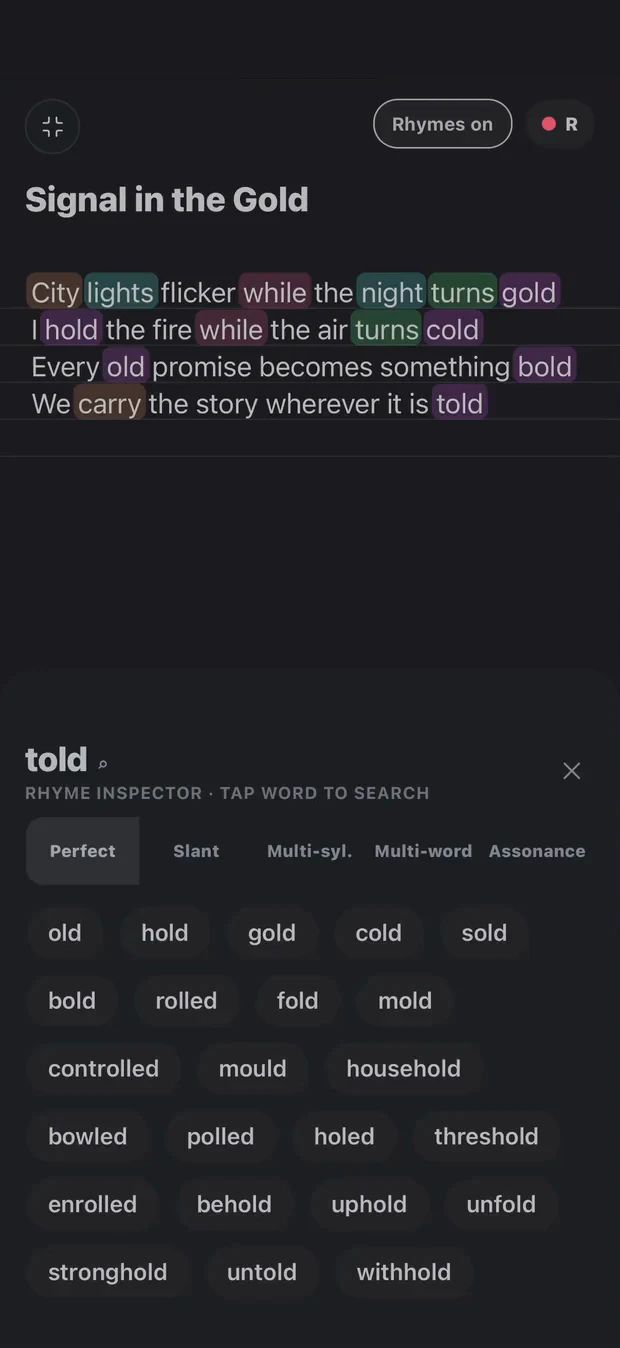
One ending, several meanings. Choose a small rhyme family such as light, night and sight. Make each line add information instead of bending every sentence toward the same ending. Drop the rhyme if it stops the story.
Leave a gap. Repeat a short phrase with a different entry point. Leave one beat empty, then two. Record the attempts and notice whether the space makes the words clearer.
These are practice constraints, not a score or a test of talent. Use the English rhyme finder to prepare a few options before a session, then put the list away for an attempt.
Record one pass, change one thing
Listen once without reading. Mark one place where you rushed, one where a breath interrupted the sentence and one phrase worth keeping. Repeat the same loop and change only one of those things. A take with fewer words can communicate more than a denser take.
Turn a phrase you like into a written draft. Cadence keeps the lyric with the beat and takes, so practice can become material for a song. Develop it into a verse or explore internal rhyme patterns after the idea is clear.
Build a repeatable session
Try two minutes of pulse and rests, three minutes of object prompts, then two recorded passes. Finish by saving the strongest phrase with a short note about why it worked. Extend the session when you are learning something specific; there is no requirement to fill every minute with words.
Start with a comfortable loop, count the pulse and speak short phrases with deliberate rests. Record a pass, listen for rushed entries and repeat the same section while changing one thing.
Does Cadence generate freestyle lyrics?
No. Cadence provides writing, rhyme exploration, beat playback and recording tools. You create the words and delivery; the app does not generate a freestyle for you.
Your words. Your way through.
Tools for your writing. Not writing in your place.
Explore a rhyme, loop a beat, capture a take. You decide what belongs in the song. Transcription helps put your recorded words on the page; it is not a replacement for your voice.