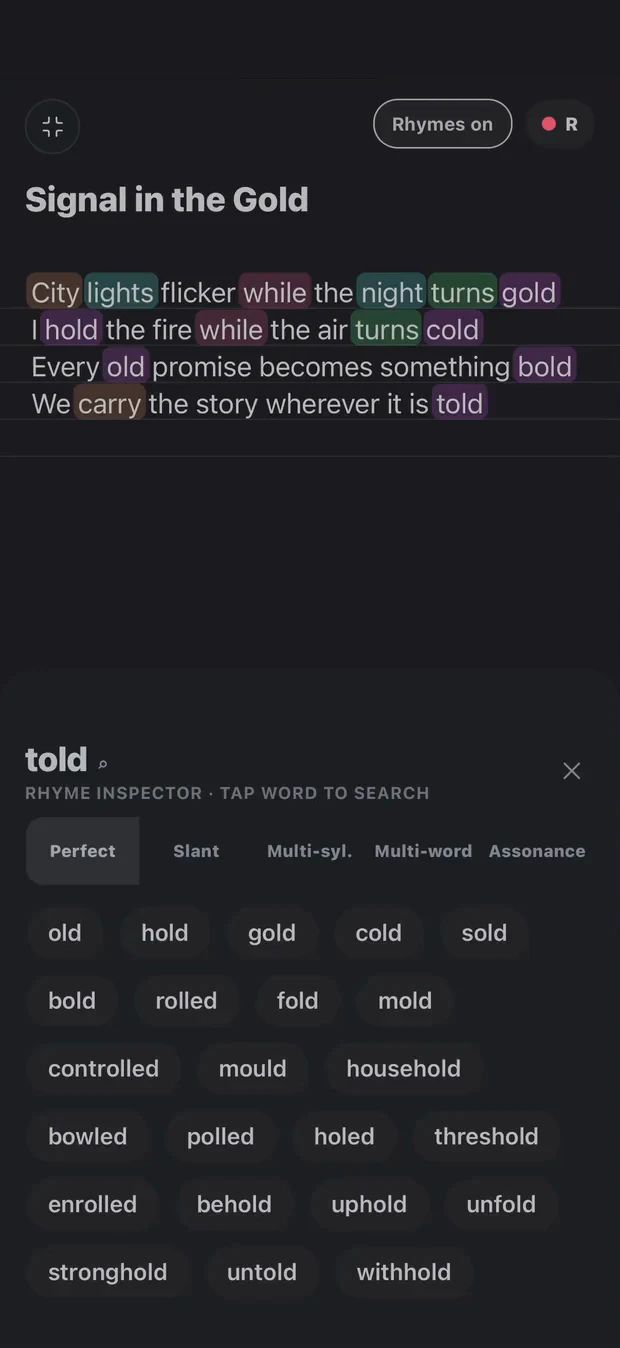
A working song, shown inside Cadence. These captures follow Springtime Showers through arrangement and vocal effects, with a writing workflow you can use on your own track.
Open a song and bring in its lyric, beat and vocal ideas. If the starting point is a voice memo, transcribe it and correct the words against the recording. Follow the import and transcription guide.
The clips below show the arrangement and DAW stages of Springtime Showers. They do not document its original transcription.
Shape the arrangement, then open the DAW
Use Arrange to organise the song sections. Listen through their order before moving into the DAW, where the beat and vocal takes become clips you can work with on a timeline.
Springtime Showers: arrangement to multitrack DAW. Recorded in Cadence; interface details may differ in newer builds.
If a DAW session already exists, read the replacement confirmation before rebuilding from Arrange. Preserve manual edits and exported versions you want to keep.
Listen to the vocal in context
Open the channel and effects controls. Compare the processed sound with the dry vocal, then return to the whole mix. Changes that sound impressive in isolation may make a lyric less clear when the beat returns.
Springtime Showers: DAW and vocal-effects controls. This capture demonstrates the interface, not an audio-quality comparison.
Try the same workflow with one of your ideas
Choose one recording you want to finish. Put it with its lyric, decide where the hook belongs, and make a rough demo you can listen to away from the editor. A useful next version can tell you more than another week of isolated notes.
Your words. Your way through.
Tools for your writing. Not writing in your place.
Explore a rhyme, loop a beat, capture a take. You decide what belongs in the song. Transcription helps put your recorded words on the page; it is not a replacement for your voice.