
Define what this demo must prove
Choose the listener and the decision before recording. A private writing demo may need only a clear lead vocal and beat. A collaborator handoff may need the form, tempo, key, lyric, and references. A production demo may need representative harmonies and dynamics. None automatically requires a release-ready mix.
Write a one-sentence finish line: “A complete verse–pre-chorus–chorus demo that lets the producer judge melody, lyric, form, and energy.” This protects the session from endless polish. List must-haves separately from optional colour:
| Must prove | Can wait |
|---|---|
| Complete form | Final ad-libs |
| Intelligible lead | Detailed automation |
| Stable timing reference | Release mastering |
| Export that plays through | Every harmony idea |
This boundary is not an excuse for careless work. It focuses care on the questions the demo is meant to answer.
Prepare a performable lyric
Read the lyric as speech, then perform it over the beat. Mark breaths, pickups, held vowels, repeated words, and any line where the written form differs from the sung form. Give every section a clear label and keep alternate lines out of the main reading path.
Check that each section changes something. The verse might reveal events, the pre-chorus sharpen the question, and the chorus state the emotional centre. If two sections do identical work, production layers will not solve the structural repetition.
Rhyme and syllable tools can expose patterns, but the performance decides whether they function. The rhyme-scheme guide covers pattern design; the stress-and-flow guide covers fit against music. Make structural edits before recording many takes, or you will become attached to material the song no longer needs.
Arrange the smallest complete pass
Lay out the whole form using section names and approximate lengths. A simple map could be: intro 4 bars, verse 16, pre-chorus 8, chorus 8, verse 16, chorus 8, bridge 8, final chorus 16. The numbers are placeholders until the listening proves them.
Record or import a beat or harmonic reference and run the form from start to finish. Notice where energy arrives too early, where a section outstays its lyric, and where the vocalist needs recovery. A transition can be repaired by changing length, dynamics, texture, or the lyric’s point of view; do not automatically add another instrument.
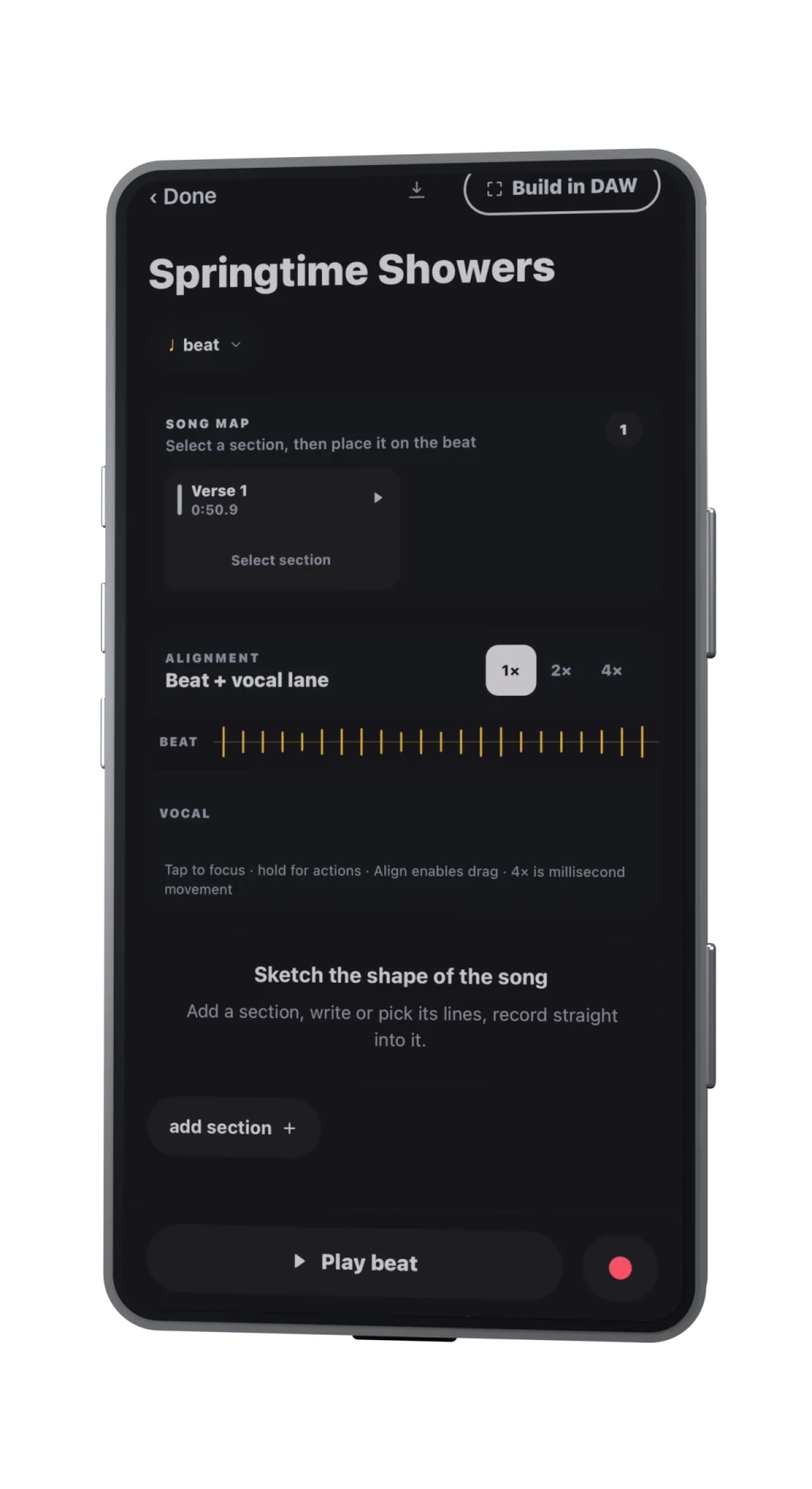
Cadence supports beat waveforms, independent A/B points, timed lyric sections, and a Draft Demo before its multitrack DAW stage. The current Cadence workflow documents those features. If rebuilding a DAW session from an arrangement, read any replacement warning and preserve manual edits or exports you need; the Springtime Showers walkthrough makes that limitation explicit.
Record for decisions, not take count
Make a level check at the loudest intended passage. Digital clipping loses information and is difficult to repair; Audacity’s official recording guidance recommends leaving headroom rather than driving peaks to the limit. The exact control depends on your hardware and app, but the principle is consistent: a clean quiet take can be raised; clipped peaks cannot be restored reliably.
Record one full “map take” even if individual lines are imperfect. It reveals stamina, transitions, and emotional arc. Then record targeted passes with distinct goals:
- Clarity pass: consonants, lyric intelligibility, stable timing.
- Emotion pass: dynamics, tone, risk, and phrasing.
- Repair pass: only named weak regions.
Label takes by purpose instead of “take 7.” Comping becomes easier when you remember why a take exists. Stop when later takes repeat choices or lose energy; more files are not automatically more options.
Build a rough mix and review it away from the editor
Set the lead vocal against the accompaniment, then add only elements required to communicate the arrangement. Compare vocal processing with the dry signal at the same playback point. Effects that sound exciting in solo can blur words or push the singer behind the beat in context.
Multiple tracks add together and can clip even when each track is safe alone; Audacity’s mixing documentation explains why the combined level can rise and recommends reducing track gain when the mix overloads. Leave headroom and avoid judging loudness by moving the playback-volume control.
Export a complete listening copy and play it in at least two ordinary situations—for example headphones and a phone speaker—without watching the timeline. Write time-stamped notes, then group them into song, performance, arrangement, and mix. Fix song and performance issues before fine mix details. This is a review method, not a claim that two devices constitute professional translation testing.
Export a version someone else can understand
Name the file with song, version, and date: paper-crown-demo-v03-2026-09-17.wav. Keep a compressed listening copy if convenient and, when the next stage requires it, export aligned stems that begin at the same timeline point. Include the current lyric, tempo, key if known, arrangement notes, and a short list of open decisions.
Cadence’s multitrack workflow includes vocal effects, a live mixer, and demo or aligned-stem export, as described on its product page. Export does not prove the files are complete: reopen the delivered files, confirm their duration and start alignment, and listen to the beginning, one transition, and the ending.
Archive the demo that informed the next decision. Do not overwrite it with every later experiment. A useful demo closes one loop and opens a clearer one: rewrite the second verse, send to a collaborator, replace the guide vocal, or begin final production. If nobody can name the next decision after hearing it, the demo probably needs clearer intent rather than more polish.
Sources
- Cadence songwriting workspaceChecked 2026-09-17
- Springtime Showers: Arrange and DAW walkthroughChecked 2026-09-17
- Audacity recording guidanceChecked 2026-09-17
- Mixing Audio Tracks — Audacity ManualChecked 2026-09-17