
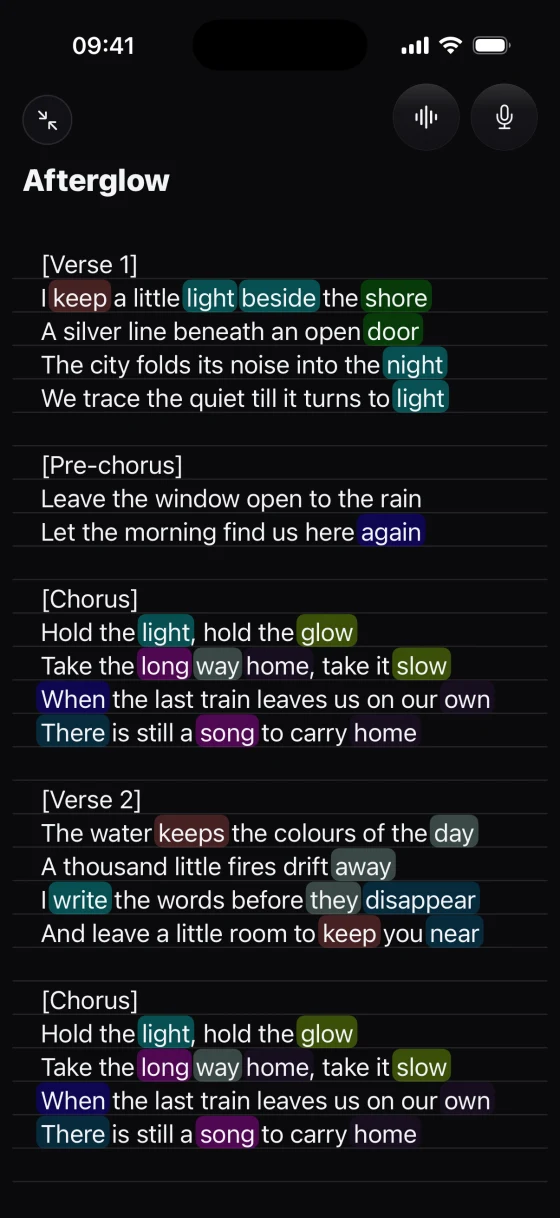
Four Android apps, four starting points
Español · Français · Português (Brasil)
Cadence publishes this guide. The shortlist uses vendor documentation and public listings. The exercise below is for your own device and project.
| App | Choose it for | Check before you commit |
|---|---|---|
| Cadence | Lyrics, rhyme suggestions, an imported beat loop and takes attached to the song. | Start with three free notes. Check Pro access for full arrangement and export. Test the exact handoff in the stem-export guide. |
| Song Cage | Free offline capture of voice memos, words and chord sketches. | Its Android app is the capture stage. The vendor documents arrangement and export in the web or desktop editor. |
| BandLab | Building a multitrack demo or recording layers with the Studio. | BandLab documents 16 tracks per project, or 32 with Membership, with a 15-minute limit in both cases. |
| FL Studio Mobile | Making a beat or building an instrumental with a piano roll, instruments and a mixer. | Check the local store offer and whether the export you need opens in your desktop setup. |
A ten-minute test with the same eight bars
Bring one instrumental you have permission to use and four lines of your own. Use the same headphones and files in each candidate.
- Import and loop. Set a four-bar loop. Rewrite the last line while listening, then see how quickly you can get back to the loop start.
- Keep two takes. Try a late landing and an on-beat landing. Close the project, reopen it and find both recordings.
- Reopen offline. Once your project is saved, turn on airplane mode and reopen it. Check the lyric, beat and recordings separately.
- Test your output. If you send a demo to a collaborator, play the exported audio. If you send stems, import them at the same start time in your DAW and check alignment.
Write down where you had to switch apps, find an original file again or upgrade. That gives you a comparison of the workflow you actually need.
See the Cadence workflow before installing
Follow the beat-first video and transcript to see the loop and writing workflow. For controls and menu locations, use the step-by-step guide. Start with the same four-bar passage in the Cadence Android workspace.
Check which free workflow gets you far enough
Song Cage makes sense if the immediate job is offline capture. BandLab is worth testing if the next step is recording several layers. Cadence is designed around an existing beat, the lyric and its takes, with the full Draft-to-DAW workflow in Pro. Compare free-plan limits across platforms or see the iPhone and iPad comparison.
Sources
- Cadence for Android · Google PlayChecked 2026-11-23
- Song Cage Mobile · Song CageChecked 2026-11-23
- Track and project limits · BandLabChecked 2026-11-23
- FL Studio Mobile · Image-LineChecked 2026-11-23