
The short answer
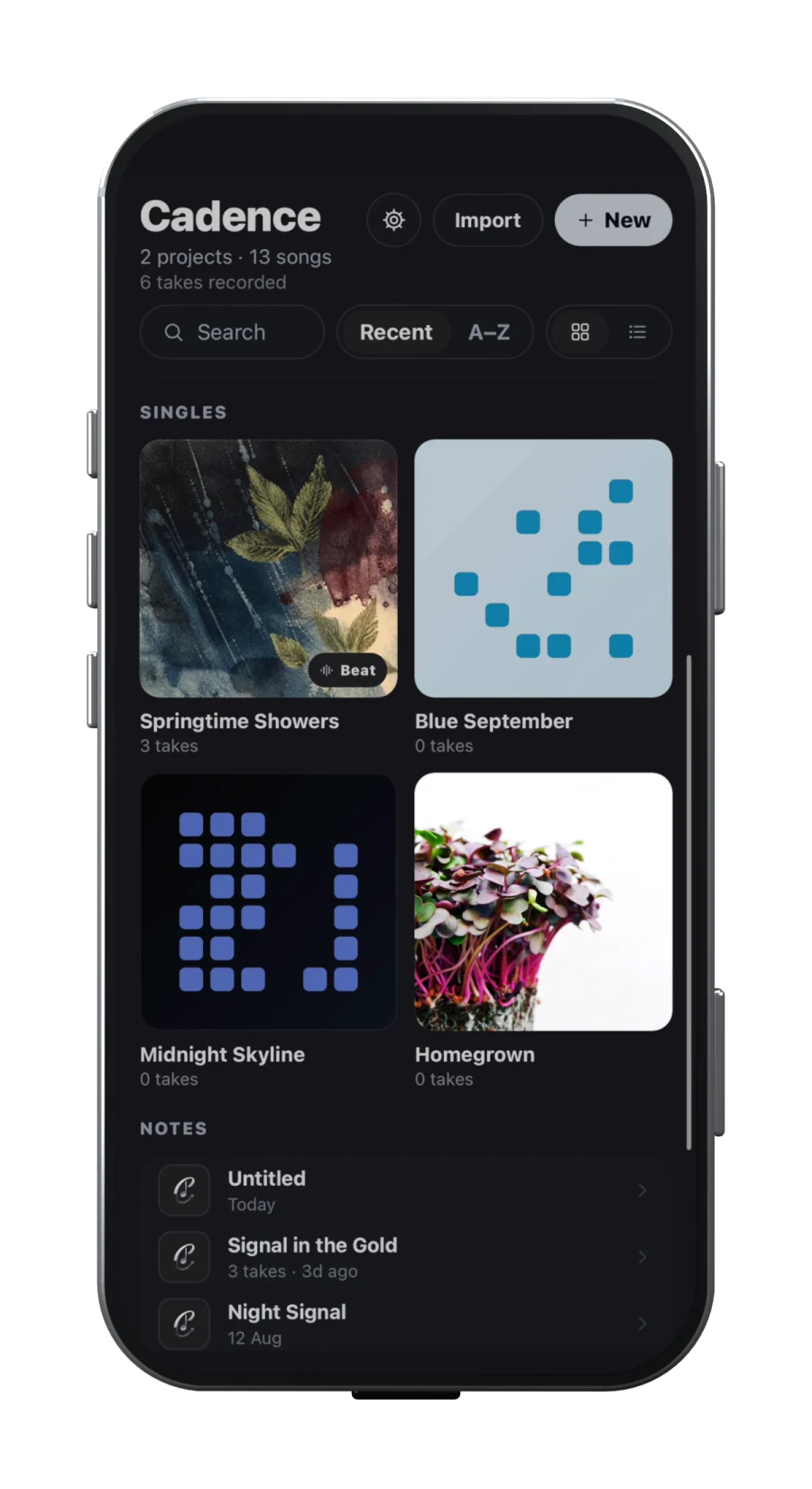
Choose Cadence when you usually have a beat, lyric fragment or vocal idea and want to reach a performed draft. Its public workflow covers imported audio, on-device transcription, rhyme families, beat looping, vocal takes, timed sections, a multitrack DAW, vocal effects and demo or aligned-stem export. Cadence is available on the App Store and Google Play.
Choose Song Cage when the unfinished connection is between lyrics, syllable rhythm, melody and harmony. Its official manual describes a desktop/browser canvas with chord palettes, melody input, lyric blocks, syllable splitting, word tools, guitar and piano voicings, playback, PDF chord sheets and MIDI export. Its separate mobile app focuses on capturing recordings, lyrics and chord sketches rather than arranging a full song on the phone.
Both vendors position their products before a conventional final production stage, but “finishing” means something different in each. This is a documentation-based comparison, not a hands-on test of detection accuracy, suggestions, audio quality or reliability.
Words, rhythm and rhyme
Cadence keeps rhyme exploration next to the working lyric. Its public app pages describe perfect, slant, multisyllabic, multi-word and assonance modes, rhyme highlighting and syllable counts. The separate free browser rhyme finder states its own limits: American English dictionary pronunciations, incomplete accent and slang coverage, a small curated phrase bank and suggestions that cannot judge artistic fit. Those are browser-tool limitations, not evidence about the Cadence app engine; the public app descriptions checked do not publish equivalent data-source or coverage limits.
Song Cage also provides perfect and slant rhymes, synonyms and related-word exploration. Its distinctive public model is that lyric blocks occupy a beat grid. The syllable-splitting guide explains how parts of a word can sit at separate beat positions and carry separate melody notes. That is useful when your problem is prosody: exactly where each syllable lands and which pitch it carries.
The practical distinction is emphasis. Cadence asks how a line sounds against the imported beat and recorded performance. Song Cage asks how words, rhythmic positions, pitches and chords relate on a compositional grid. Neither system can decide whether a line is emotionally true or whether an unusual pronunciation is right for your voice.
Mobile capture and development
| Stage | Cadence | Song Cage |
|---|---|---|
| Quick capture | Text, audio, handwritten scan or a new recording inside a song | Mobile voice memo, lyric or chord sketch; offline guest capture is documented |
| Development | Rhyme, beat loop, takes and song sections | Chords, melody, lyric rhythm, voicings and theory |
| Mobile finish | Arrangement, multitrack DAW and demo/stem export | Phone capture only: no timeline, export or DAW, according to its mobile guide |
| Desktop/DAW path | Export for the next production stage | Web/desktop editor plus AU/VST3 MIDI plug-in |
Song Cage’s mobile page is unusually clear about its boundary: the phone is a capture surface, with no timeline, export or DAW. Signed-in captures can move to its web and desktop editor. The mobile experience supports iPhone and Android, works offline and can be used without an account, while sync and fuller development introduce account and licence considerations.
Cadence aims to carry more of the audio journey on the phone. Its public voice-memo guide documents import and on-device transcription, but warns that sung words and background music can reduce accuracy. Recordings remain local unless shared, and account sign-in does not automatically copy all audio to another device. Song Cage’s and Cadence’s local/offline stories therefore should not be reduced to a privacy slogan; each has different sync, backup and handoff behaviour to verify.
Audio, MIDI and exports are the decisive split
Cadence works toward audible vocal production. Its public product material describes a real beat waveform, independent loop points, a draft demo, multitrack DAW, dry/wet vocal comparison, effects, a mixer and demo or aligned-stem export. That makes it the more direct fit when the next recipient expects audio.
Song Cage works toward a composition that other musicians or software can interpret. Its export guide documents PDF chord sheets, MIDI and a Song Cage project file. MIDI can include chord and melody tracks with tempo and time signature. The project file carries sections, chords, lyrics, syllable splits and melody notes, but recorded takes do not travel in it. PDF and MIDI availability depends on the current account or licence tier, so check the official product at decision time.
Song Cage also offers an AU/VST3 MIDI plug-in for supported macOS and Windows hosts. The official plug-in guide says it sends MIDI notes rather than audio, can follow a DAW’s transport and tempo, and can drag chord or melody MIDI into the host. AAX and Pro Tools are not supported in the documented version. That is a strong path for harmony-led writers already inside a compatible DAW, but it is not an audio stem generator or instrument library.
Who should choose which?
Cadence fits the beat-and-voice writer. Choose it when the important loop is write, rhyme, perform, arrange and hear a demo. It is also the more coherent single-mobile-app choice if you want to move beyond capture into vocal-led audio arrangement. Transcription needs correction and local recordings need an explicit backup habit.
Song Cage fits the harmony-and-melody writer. Choose it when chord options, voicings, melodic notes, syllable timing and music theory are where songs get stuck. Its phone app is intentionally smaller than its web/desktop editor, and its main exports are chart, MIDI and project data rather than finished audio.
Use both only with a clear border. Song Cage can establish key, progression, melody and a chord/MIDI handoff; Cadence can hold the lyric, beat, vocal takes and demo. Decide which app owns the lyric after import, and freeze versioned files at the boundary. Otherwise, a changed syllable in one tool can silently invalidate melody or timing in the other.
Check current prices and tier limits before choosing. Try one disposable chorus: capture it on the phone, develop it, export it and reopen the export where your real production continues. The missing or awkward handoff will tell you more than the longest feature list.
Sources
- Cadence product workflowChecked 2026-09-17
- Cadence voice memo and transcription guideChecked 2026-09-17
- Cadence rhyme finder and limitationsChecked 2026-09-17
- Song Cage manualChecked 2026-09-17
- Song Cage mobile appChecked 2026-09-17
- Song Cage syllable splitsChecked 2026-09-17
- Song Cage exportsChecked 2026-09-17
- Song Cage AU/VST3 plug-inChecked 2026-09-17